Dockhand / Homelab app notes
Why Dockhand earned a place in my homelab
Docker management should make the stack easier to see and operate, not turn a simple container into another infrastructure project.
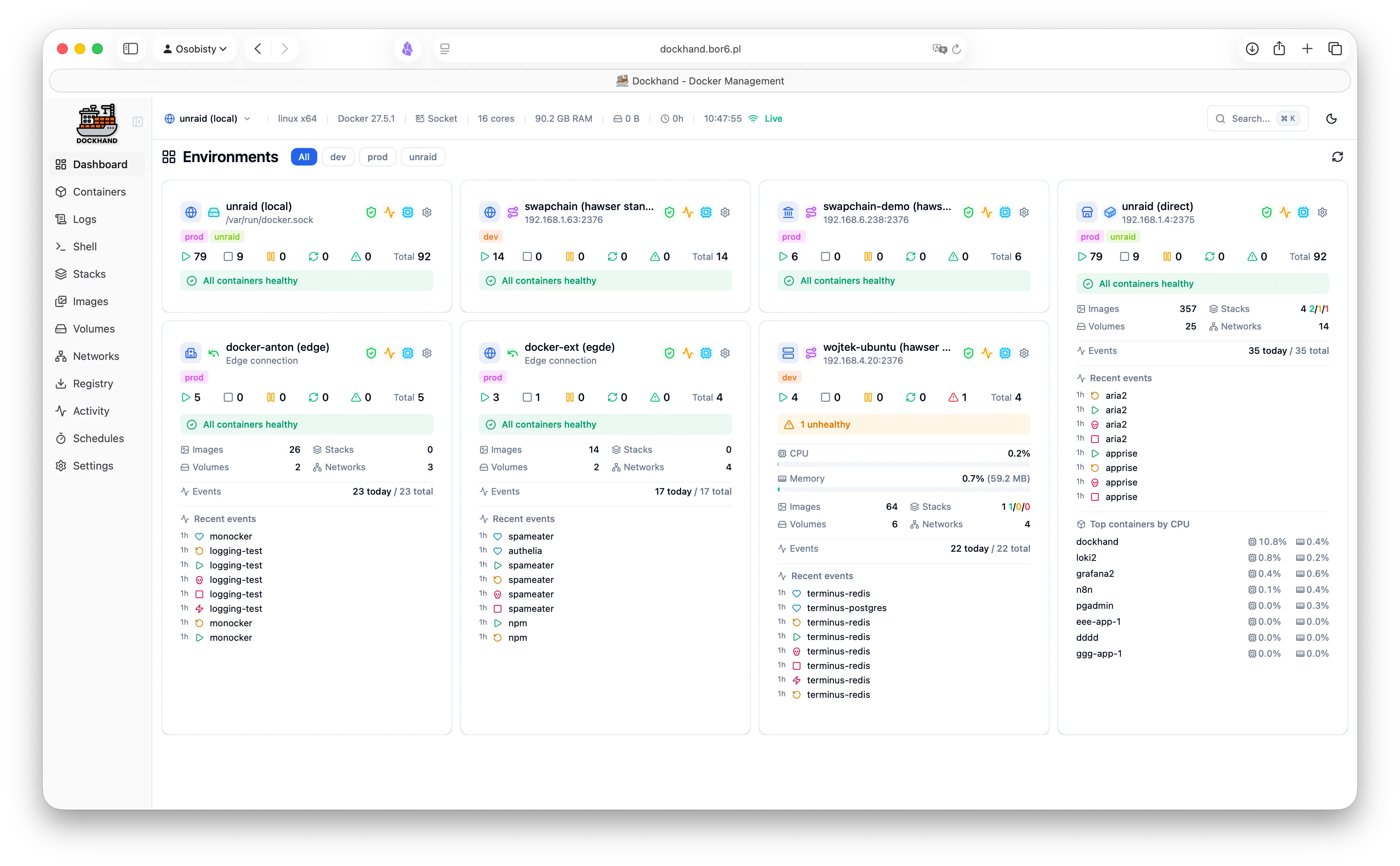

Dockhand is the kind of tool I enjoy finding in a homelab: focused, self-hosted, and opinionated about making the everyday work visible without demanding a second platform to support.
The right amount of control
The basics are where Dockhand makes sense immediately. Start, stop, restart, remove, and inspect containers from a useful interface. See logs, open a web terminal, browse files, check resources, and work with networks without losing the underlying Docker model.
That matters because a good UI should make Docker easier to operate while still leaving the system understandable. I can move quickly without pretending the containers have disappeared behind a layer of magic.
Compose without the ceremony
Stacks are where a homelab tends to become real infrastructure. Dockhand brings Compose editing, templates, Git repositories, deploy history, validation, image updates, and dependency visibility into the same workflow.
The visual Compose editor is useful, but the part I appreciate most is that the YAML and the deployment model remain close at hand. It helps with the practical loop: change, validate, deploy, inspect, and update.
It respects a homelab
Dockhand runs on your infrastructure, uses SQLite by default, has no telemetry, and can run on small hardware such as a Raspberry Pi. That is a meaningful combination for a homelab: low ceremony, low dependency count, and no requirement to send operational data to a SaaS dashboard.
There is also an optional PostgreSQL path when a larger or highly available deployment calls for it. The defaults stay approachable while the project leaves room to grow.
More than a container list
The feature set goes well beyond start and stop buttons:
- Live CPU, memory, disk, and activity information
- Real-time logs and a browser terminal
- Git-based stacks and webhook-triggered deployments
- Multi-host environments through remote connections or Hawser
- Vulnerability scanning with Grype and Trivy
- Notifications through email, webhooks, and Apprise services
- Backups and restore workflows
- External secret providers that keep secrets out of Compose files
- A REST API with scoped bearer tokens for automation
That breadth is why Dockhand feels useful rather than decorative. It connects the things I repeatedly need to check when maintaining a self-hosted stack.
Why I like it
I like Dockhand because it has a clear relationship with the system underneath it. It gives the homelab a better control surface without asking me to forget how Docker works.
It is quick to start, pleasant to use, transparent about the source, and serious about the operational details that matter once a stack grows beyond one or two containers.
That is my favorite kind of homelab software: the tool that removes friction, stays close to the machine, and makes me want to improve the stack instead of merely tolerate it.